What a smart plug can—and cannot—do
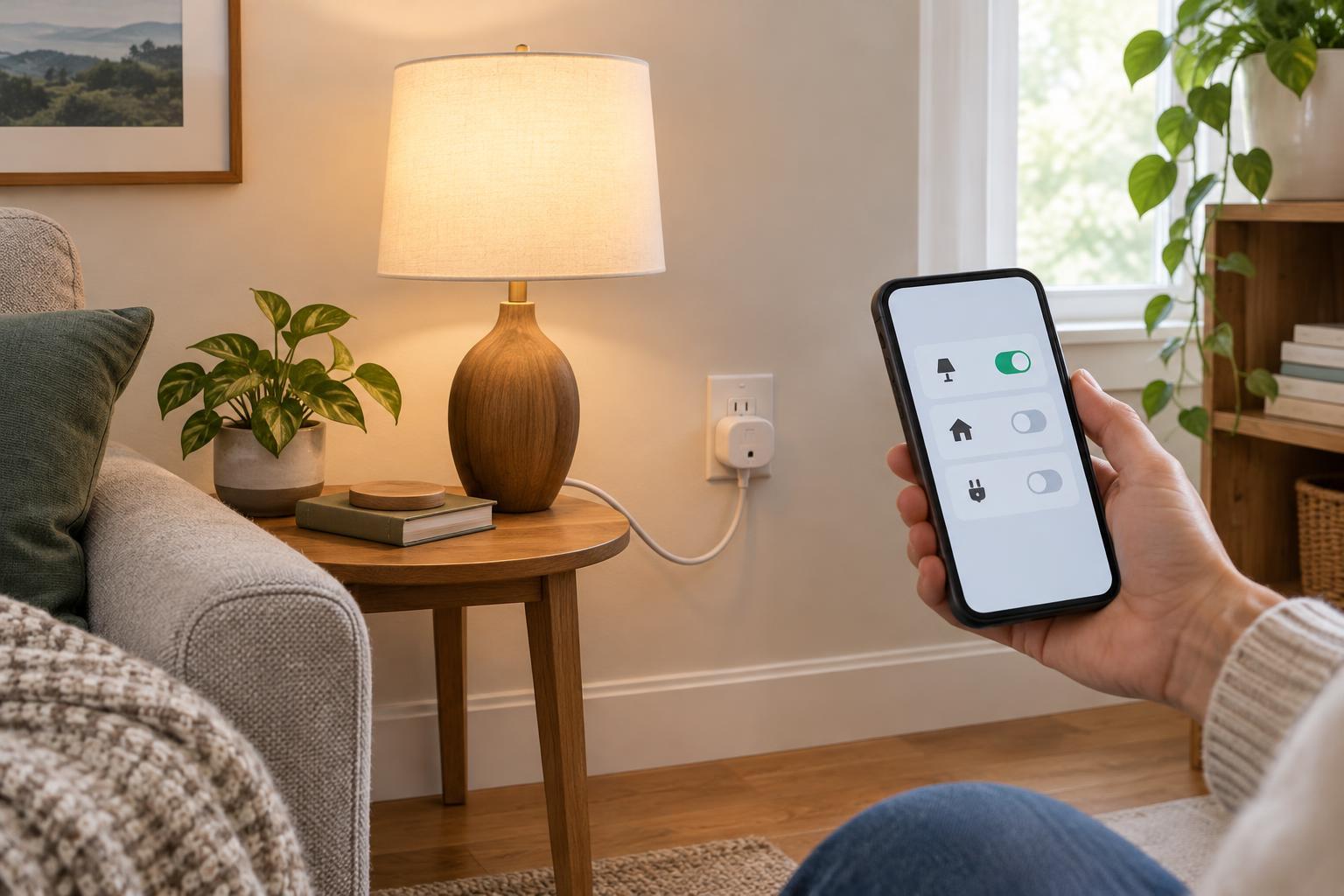
A smart plug fits between a wall outlet and an electrical device. Once connected to your home network, it lets you switch power to that outlet using an app. Many models also offer schedules, timers, voice-assistant compatibility or energy-use information. Features vary, so check the product details if one of those options matters to you.
The simplest place to start is a lamp with a physical on/off switch. Leave the lamp’s switch on, then use the smart plug to control its power. A smart plug will not adjust a basic lamp’s brightness, and it may not work as expected with a device that stays off after its power is restored. Test your chosen device by unplugging it, plugging it back in and seeing whether it resumes the way you want.
Choose a plug that fits your space
Before buying, check that the plug is made for your country’s outlets and that its electrical rating suits the device you plan to connect. Look at its shape, too: a bulky plug may block the neighboring socket. If you want to use it outdoors, choose a model specifically rated for outdoor use and follow its placement instructions. Indoor plugs should stay indoors.
Check how the plug connects and which app it requires. Many Wi-Fi models need a 2.4 GHz network during setup; others use a compatible hub. If you already use a voice assistant or smart-home platform, confirm that the particular plug supports it rather than assuming every model will work. For a first purchase, one plug and one clear purpose are enough.
Set it up one step at a time
Start near your router with your phone connected to the home network. Install the manufacturer’s app, create an account if required, and follow the plug’s pairing instructions. This usually involves plugging it in and waiting for, or triggering, a flashing indicator. Give the plug a name that describes its location or job, such as “Desk Lamp,” so it remains easy to recognize if you add more devices later.
Once it appears in the app, tap the power control and confirm that you can hear or see the plug switch. Then connect your device, turn its own switch on if needed, and test again. If pairing fails, check that your phone is using the network the plug expects, move closer to the router, and retry the manufacturer’s reset steps. After setup, install available device updates and use a strong, unique password for any required account.
Try a few useful routines
A schedule is a good first experiment. Set a living-room lamp to turn on around the time you usually want light, then turn off at bedtime. A timer can be more flexible for occasional tasks: turn on a suitable low-power device and set the plug to cut power after a chosen period. Keep the routine simple for a few days so you can notice whether the timing actually helps.
Smart plugs can also make awkward-to-reach switches easier to use or turn several compatible decorative lights on and off without visiting each one. Some apps offer an “away” mode that varies a light’s schedule; treat it as a convenience, not a substitute for securing your home. If your plug reports energy use, it can help you compare how a connected device behaves when active and idle, though the reading may not be precise enough for every purpose.
Know when not to use one
A smart plug controls power; it does not make an appliance safer to run unattended. Avoid using one to automate space heaters or other high-heat, high-power equipment unless both the appliance and plug instructions explicitly permit that use. Do not rely on a smart plug for essential equipment that must stay powered, such as a medical device. Follow the plug’s stated load limit, and never use it to get around an overloaded outlet or power strip.
Finally, remember that an app-controlled plug can lose its connection or behave differently after a power outage. Learn where its physical power button is, if it has one, and check what happens when electricity returns. Starting with a lamp lets you learn those quirks with little disruption. Once that first setup feels reliable, you can decide whether another plug would solve a real everyday inconvenience.