Start with a screen you can reach safely
A window screen collects dust, pollen and bits of debris that are easy to overlook until you open the window. Cleaning it can improve the view and help air pass through the mesh. A small tear is also worth addressing: once an edge catches on a cloth or branch, the opening may spread.
Before removing a screen, look at how it is held in place. Some sit in tracks; others have tabs, clips or spring-loaded pins. Open the window and check for a secure place to hold the frame as it comes free. Do not lean out of a window or reach over a drop to remove an exterior screen. If you cannot access it comfortably from indoors or from a safe, level surface, leave it in place and clean only what you can reach.
Take a quick photo of any unfamiliar clips before moving them. If you have several screens to clean, mark their locations with removable tape so each one goes back into the window where it fits.
Remove loose dust before adding water
Lay the screen flat on a clean towel or other soft surface. Supporting the frame matters: pushing on unsupported mesh can pull it loose from the groove around the edge. Use a vacuum with a soft brush attachment on low suction, or sweep gently with a soft brush. Work from top to bottom on both sides without pressing hard.
Look closely at the corners and along the narrow strip, called the spline, that holds the mesh in the frame. If the spline is lifting or the frame is bent, cleaning alone will not fix the fit. Set that screen aside for a more thorough repair rather than trying to force it back into the window.
Wash gently and let the screen dry
Mix a little mild dish soap into a bucket of lukewarm water. With the screen still lying flat, wipe the mesh and frame using a soft sponge or cloth. Light strokes are more effective than scrubbing at a stubborn spot, which can stretch the mesh. Pay attention to the frame corners, where dirt tends to collect.
Rinse with a gentle stream of water or a clean, damp cloth. Avoid a pressure washer or a forceful hose setting; either may loosen the mesh. Shake off excess water without twisting the frame, then leave the screen upright in a sheltered spot until it is fully dry. Drying it before reinstallation helps keep drips off the sill and makes small tears easier to see.
Patch a small tear without blocking much airflow
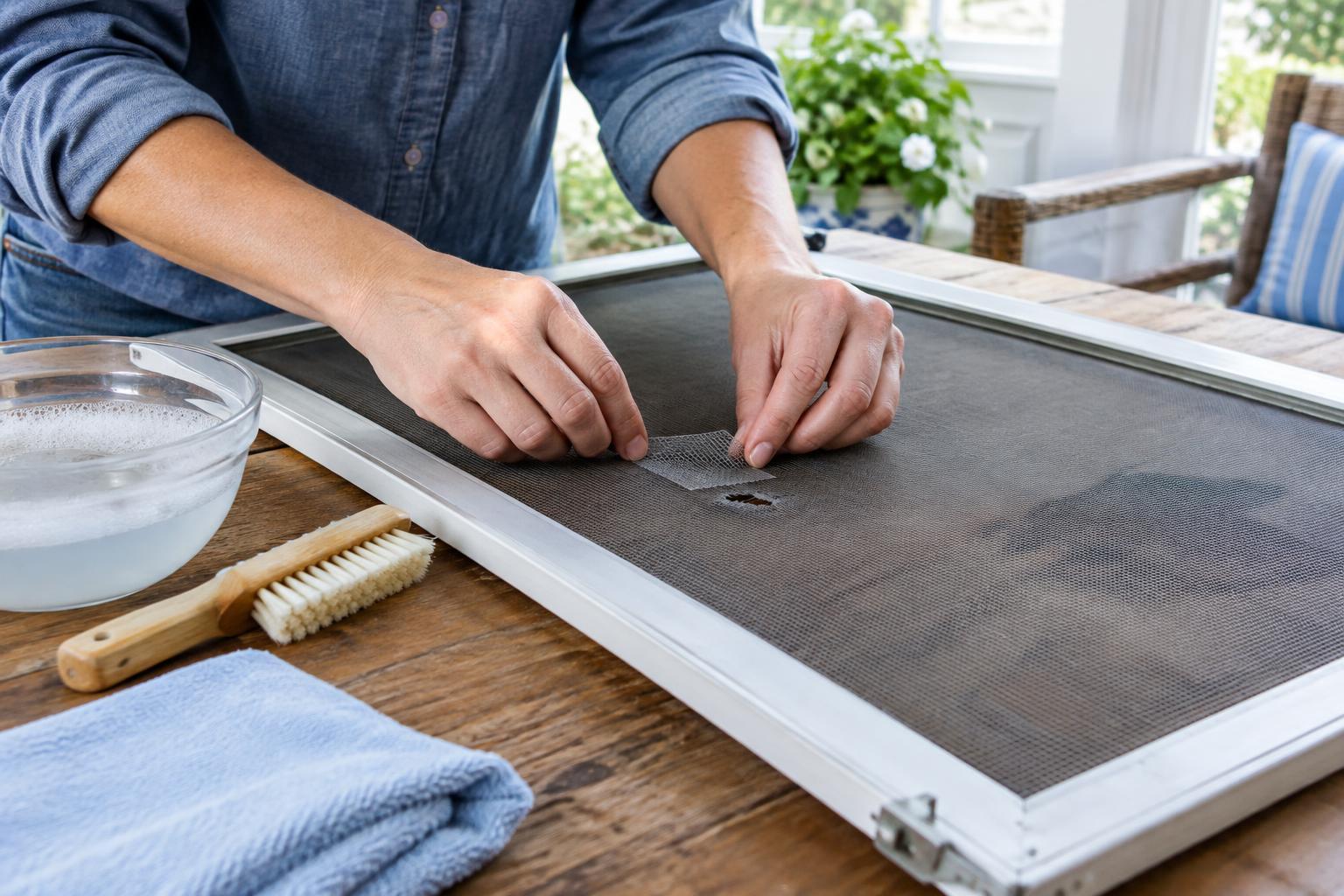
For a short, isolated tear in otherwise sound mesh, a screen-repair patch is a practical option. Choose a patch intended for your type of screen, and follow its package directions for attachment. Some use adhesive; others have edges that grip the existing mesh. Clean and dry the area first so the patch can sit flat.
Trim any loose strands carefully rather than pulling them. Center the patch over the opening with enough overlap to grip intact mesh on every side. Press or fasten it as directed, then check that no sharp edge sticks out where it could catch a hand or cleaning cloth. A patch will remain visible, but a neat one can keep insects out without replacing the whole screen.
If the tear runs along the frame, several holes sit close together, or the mesh feels brittle, a patch may not hold well. Replacing the mesh is usually a better use of time in those cases. A frame that is badly warped or has broken corners may also need repair or replacement before new mesh will stay taut.
Reinstall and make the next cleaning easier
Once the screen is dry, return it to the window in the same orientation it had before removal. Seat one edge in its track, then engage the tabs or pins without bending the frame. Close and reopen the window to check that it moves freely and that the screen sits flush. If a corner pops out, remove the screen and inspect its position rather than pushing harder.
A quick pass with a soft brush during routine window cleaning can prevent heavy buildup. After windy weather, check for trapped leaves and fresh damage, especially near the lower corners. Keeping the mesh clean and catching a small tear early can turn screen care into a brief task instead of a larger repair.